
Discover how to enhance your digital art with copic markers and explore color theory and illustration techniques.

Disclosure: This post contains affiliate links. We may earn a commission at no extra cost to you.
Color palette in ibispaint is a crucial tool for creating stunning digital artwork. To make the most of it, first, familiarize yourself with the color wheel and understand color theory. Experiment with different color combinations to create harmony and contrast in your designs. Remember to save your favorite color schemes for future reference. Organizing your colors into categories can also help streamline your workflow. Stay organized, get creative, and enjoy the endless possibilities of the ibispaint color palette!
Using the color palette in ibispaint is an essential aspect of creating stunning digital art. Whether you are a beginner or an experienced artist, understanding how to leverage the color palette effectively can significantly enhance your artwork. In this article, we will delve into the best tips for using the color palette in ibispaint and explore various techniques to elevate your digital artistry.
### Creating Custom Colors in ibispaint
One of the key features of ibispaint is the ability to create custom colors. By mixing different hues and adjusting saturation and brightness levels, you can achieve unique and personalized color combinations. To create a custom color in ibispaint, simply access the color palette and use the sliders to adjust the RGB values. Experiment with different combinations to find the perfect shade for your artwork.
### Understanding RGB and CMYK Color Modes
RGB and CMYK are two common color modes used in digital art software like ibispaint. RGB (Red, Green, Blue) is an additive color model primarily used for digital displays, while CMYK (Cyan, Magenta, Yellow, Black) is a subtractive color model used for printing. Understanding the differences between these color modes is crucial when working on digital art projects that will be displayed on various platforms.
### Selecting Colors Quickly
In ibispaint, there are several shortcuts you can use to select colors quickly. One useful tip is to use the eyedropper tool to sample colors from your artwork or reference images. This allows you to maintain a consistent color scheme throughout your piece. Additionally, you can save your favorite colors to a custom palette for easy access during your creative process.
### Using Gradients and Patterns
The color palette in ibispaint offers a range of tools for creating gradients and patterns. Gradients can add depth and dimension to your artwork, while patterns can enhance textures and visual interest. Experiment with different blending modes and opacity settings to achieve unique effects using gradients and patterns in ibispaint.
### Advanced Color Blending Techniques
To take your digital art to the next level, mastering advanced color blending techniques is essential. In ibispaint, you can explore blending modes such as Overlay, Multiply, and Screen to create dynamic color compositions. Experiment with different blending modes and opacity levels to achieve smooth transitions and vibrant color effects in your artwork.
### Saving and Organizing Favorite Colors
To streamline your workflow in ibispaint, consider saving and organizing your favorite colors in a custom palette. This allows you to access frequently used colors quickly and maintain consistency across your projects. Create color swatches for different themes or projects to stay organized and efficient while working in ibispaint.
### Color Theory Principles
When using the color palette in ibispaint, it is essential to keep basic color theory principles in mind. Understanding concepts such as complementary colors, color harmonies, and color temperature can help you create visually appealing artwork. Experiment with different color combinations and study the impact of colors on emotions and mood in your digital art.
By incorporating these tips and techniques into your digital art workflow, you can harness the full potential of the color palette in ibispaint. Experiment, practice, and explore different color combinations to enhance your artwork and express your creativity effectively. Unlock the power of the color palette in ibispaint and elevate your digital art to new heights.
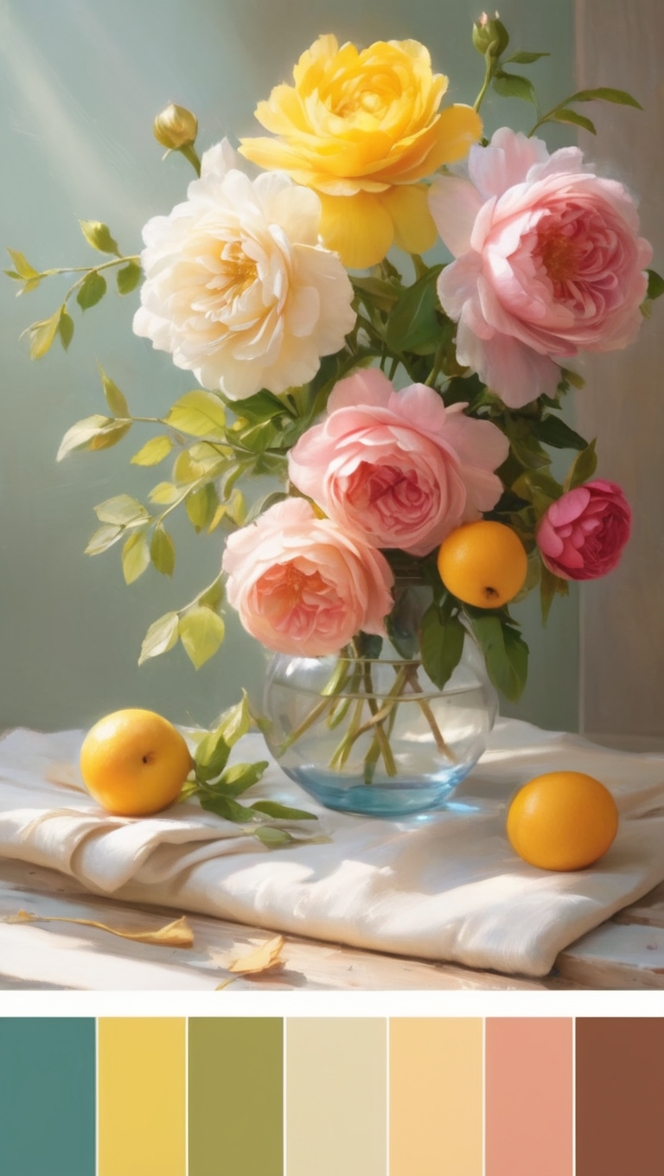
Here is a structured outline for the article on the topic “Color Palette Ideas for ibispaint”:
Title: Unleashing the Creative Potential: Color Palette Ideas for ibispaint
Introduction:
– Briefly introduce the importance of color palette in digital artwork creation
– Mention the focus on ibispaint color palette and its significance
Body:
1. Understanding the Color Wheel:
– Explain the basics of the color wheel and its primary, secondary, and tertiary colors
– Discuss how the color wheel can be used to create harmonious color schemes
2. Exploring Color Theory:
– Dive deeper into color theory principles such as complementary, analogous, and triadic colors
– Provide examples of how these color schemes can be applied in ibispaint designs
3. Experimenting with Color Combinations:
– Encourage readers to try out different color combinations to create visual interest
– Highlight the importance of balancing harmony and contrast in artwork
4. Saving Favorite Color Schemes:
– Suggest ways to save and organize favorite color palettes within ibispaint for easy access
– Emphasize the benefits of having a curated collection of colors for future projects
5. Categorizing Colors for Workflow Efficiency:
– Offer tips on how to categorize colors based on themes, moods, or projects
– Explain how organizing colors can streamline the design process and enhance productivity
6. Getting Creative with the Endless Possibilities:
– Inspire readers to think outside the box and experiment with unconventional color choices
– Showcase examples of unique color palettes that can elevate digital artwork
Conclusion:
– Summarize the key takeaways from the article
– Encourage readers to embrace creativity, stay organized, and enjoy the limitless options of the ibispaint color palette
By following this outline and expanding on each point with detailed explanations and examples, you can create a comprehensive and engaging article on color palette ideas for ibispaint. Remember to incorporate real paint color names like SW and BM paints to make the content more relatable and informative for the readers.